Instant Digital Download — your link arrives immediately after purchase! Instant Digital Download
Notion Notion

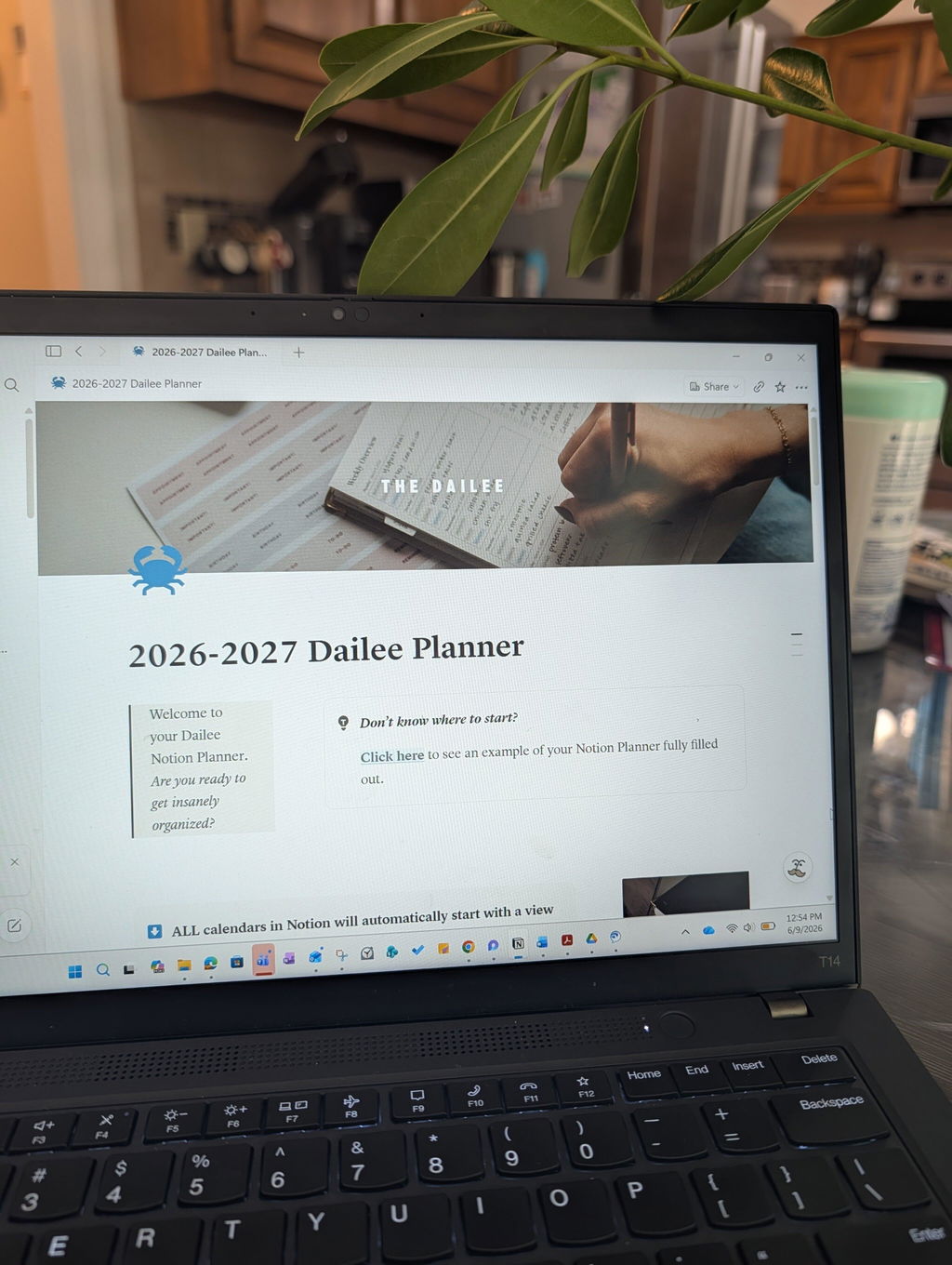
2026-2027 Advanced Notion Template

Regular price $28.00
Unit price
per 

⚡︎ Instant Digital Download


Shipping calculated at checkout.

2026-2027 Advanced Notion Template

$28

Dated August 2026 – July 2027

The 2026-2027 Advanced Notion Template takes digital planning to the next level. Built for power users who want full control and deep organization, this upgraded Notion daily planner includes advanced task filtering, multi-page goal tracking, built-in productivity formulas, financial dashboards, and more.

With everything from project management tools to routine builders and progress charts, it's perfect for entrepreneurs, side hustlers, or anyone ready to plan with precision. Still easy to customize, this robust system offers structure without limitations. Planner is dated August 2026 – July 2027.

        Mid-year planner: August 2026-July 2027

        Mid-year planner: August 2026-July 2027

        Built for Notion (free plan works)

        Built for Notion (free plan works)

        Filtered task views + goal dashboards

        Filtered task views + goal dashboards

        Works on desktop, tablet, and phone

        Works on desktop, tablet, and phone

        Features Show

        A detailed daily planner built in Notion and designed for power users (digital product!), featuring dated daily pages with time-blocking, to-dos, and notes (August 2026 – July 2027) and a dated monthly calendar with full database view for the same range. This fully digital system is built to organize your entire year and includes a weekly overview dashboard with dedicated pages for more space and structure, a weekly meal plan and grocery list, a workout and habit tracker, monthly goals and reflections, and monthly budgeting and expenses. You'll also find a spring cleaning checklist, gift list organizer, travel planner, notes and brain dump pages, and a more detailed library with advanced organization features. With instant access and minimal setup, you can start planning immediately on desktop, tablet, or phone.

        FAQs Show

        Q: What's the difference between the advanced and regular versions?
        The user interface is slightly different, and the advanced version has more complex syncing capabilities, a full calendar database on the homepage, separate weekly overview pages, and a more detailed library with advanced organization features. The regular version is cleaner, simpler, and beginner-friendly.

        Q: What months does the 2026-2027 planner cover?
        The planner is dated from August 2026 through July 2027, making it the ideal option for anyone who wants to start a new planning year in August rather than waiting until January.

        Q: What app do I need to use this planner?
        These planners are built specifically for Notion, a free productivity app available on desktop and mobile.

        Q: Do I need to pay for Notion to use this template?
        Nope! Everything works perfectly on Notion's free plan. No paid subscription is required.

        Q: Is this template customizable?
        Yes! Our Notion planners are beautifully and carefully designed, but you can fully customize these templates to match your workflow: change layouts, add pages, tweak colors, and more.

        Q: Can I sync my Google or Apple Calendar with this planner?
        Not directly. The calendar in our Notion template is built from a Notion database, which cannot receive events from external calendars. However, you can view both your external calendars and our template's database together in the free Notion Calendar app. This lets you see everything side-by-side in one place, but it does not import events into the planner itself.

        Q: Will this work on mobile devices?
        Yes, the templates are compatible with Notion's mobile app, though we recommend using a desktop or tablet for the best experience.

        Q: Do you offer support if I get stuck?
        Each template includes a tutorial or setup guide, and we’ll help with questions on how to use the planner. Please note that Notion is a third-party platform and may have its own limitations outside of our control, so we cannot offer technical support.

        Q: Can I use this template with multiple Notion accounts?
        You can duplicate the template into any Notion account you own, but please do not share or redistribute the template without permission.

        Q: Will I receive free updates if the planner is updated later?
        This purchase does not include future updates. Each version will be a separate listing.

        Q: Do you offer refunds?
        Digital downloads are final sales and cannot be refunded or exchanged due to the nature of digital products.

        Returns & Policies Show

        Due to the digital nature of this product, all sales are final. If there is an issue with your order, please contact us at hello@the-dailee.com. View more Shipping & Returns FAQs here.

        This product is for personal use only. You may not share, sell, alter, or replicate this product or any product from The Dailee. By purchasing this product, you agree to the shop policies.

        Real pages, real planning.

        Flip through a filled out version of this planner for inspiration. Click to expand and get a closer look.
        INSIDE THE PLANNER

        What's included and getting started.

        500+ UNIQUE ORGANIZATION PAGES
        • Detailed daily planner built in Notion, designed for power users (free plan)
        • More detailed library with advanced organization features
        • Instant access and minimal set up so you can start planning immediately
        • Works on desktop, tablet, and phone
        • Dated daily pages with time-blocking, to-dos, and notes (August 2026 – July 2027)
        • Dated monthly calendar with full database view (August 2026 – July 2027)
        • Fully digital system to organize your year
        • Weekly overview dashboard with dedicated pages for more space and structure
        • Weekly meal plan and grocery list + workout and habit tracker
        • Monthly goals and reflections + budgeting and expenses
        • Spring cleaning checklist + gift list organizer + travel planner
        • Notes and brain dump pages
        • And more!
        HOW IT WORKS
        • Check your email Once you complete checkout, your download link arrives instantly
        • Click to open in Notion Follow the download instruction to duplicate your planner into your private workspace
        • Start planning Everything's pre-built, just fill it in

        Find your match

        Which planner is right for me?

        iPad Planners

        Handwritten planning without the bulk. Works with GoodNotes, fully hyperlinked.

        Spreadsheet Planners

        Auto-calculating budgets and trackers in Google Sheets or Excel Online.

        Notion Planners

        Full customization with linked databases and pre-built dashboards.

        Paper Planners

        The original. Spiral-bound, 100 GSM paper, multiple covers.

        Digital Planners →

        iPad, Notion, and spreadsheet planners you can access anywhere, anytime.

        Paper Planners →

        For that classic pen-to-paper experience, available in daily, weekly, niche, and undated layouts.

        IPAD PLANNERS SPREADSHEET PLANNERS NOTION PLANNERS PAPER PLANNERS
        Best For The handwritten feel without the bulk. Use with GoodNotes on your iPad and Apple Pencil. The Type A spreadsheet lover. Built-in formulas, calculators, and tabs you can edit from any device. The customizer. A flexible database-style planner with linked pages, filters, and dashboards. The pen-to-paper planner. The full Dailee experience with our signature page layouts and premium covers.
        Format PDF with hyperlinked tabs, designed for handwriting on a tablet. Google Sheets / Excel Online file with editable cells, dropdowns, and formulas. Notion template with linked databases and pre-built dashboards Spiral-bound physical planner with 100 GSM paper and a premium cover.
        Where You'll Use It On your iPad with an Apple Pencil + a note-taking app. Laptop, desktop, tablet, or phone – anywhere Google Sheets or Excel Online runs. Laptop, desktop, tablet, or phone – anywhere Notion runs. On your desk, in your bag, on the kitchen counter – wherever you are, your planner can come with.
        Why You'll Love It You want the writing experience of paper without carrying anything extra. You live in spreadsheets, love the flexibility, and want to plan from any device. You want a fully customizable, all-in-one digital workspace with filtering and dashboards. You think faster with a pen in your hand and want a planner you can hold.
        Delivery Instant digital download. Instant digital download. Instant digital download. Ships physically. Once dated planners sell out, they're gone.
        Who is each planner type best for?
        IPAD PLANNERS The handwritten feel without the bulk. Use with GoodNotes on your iPad and Apple Pencil.
        SPREADSHEET PLANNERS The Type A spreadsheet lover. Built-in formulas, calculators, and tabs you can edit from any device.
        NOTION PLANNERS The customizer. A flexible database-style planner with linked pages, filters, and dashboards.
        PAPER PLANNERS The pen-to-paper planner. The full Dailee experience with our signature page layouts and premium covers.
        What format does each come in?
        IPAD PLANNERS PDF with hyperlinked tabs, designed for handwriting on a tablet.
        SPREADSHEET PLANNERS Google Sheets / Excel Online file with editable cells, dropdowns, and formulas.
        NOTION PLANNERS Notion template with linked databases and pre-built dashboards
        PAPER PLANNERS Spiral-bound physical planner with 100 GSM paper and a premium cover.
        Where can each planner be used?
        IPAD PLANNERS On your iPad with an Apple Pencil + a note-taking app.
        SPREADSHEET PLANNERS Laptop, desktop, tablet, or phone – anywhere Google Sheets or Excel Online runs.
        NOTION PLANNERS Laptop, desktop, tablet, or phone – anywhere Notion runs.
        PAPER PLANNERS On your desk, in your bag, on the kitchen counter – wherever you are, your planner can come with.
        Why would I love each planner format?
        IPAD PLANNERS You want the writing experience of paper without carrying anything extra.
        SPREADSHEET PLANNERS You live in spreadsheets, love the flexibility, and want to plan from any device.
        NOTION PLANNERS You want a fully customizable, all-in-one digital workspace with filtering and dashboards.
        PAPER PLANNERS You think faster with a pen in your hand and want a planner you can hold.
        How will this format be delivered?
        IPAD PLANNERS Instant digital download.
        SPREADSHEET PLANNERS Instant digital download.
        NOTION PLANNERS Instant digital download.
        PAPER PLANNERS Ships physically. Once dated planners sell out, they're gone.

        THE PLANNERS HAVE SPOKEN

        1

        %

        report feeling more organized

        1

        %

        would buy from The Dailee again

        1

        %

        report increased productivity

        From 2,000+ surveyed customers.